Don't Panic: Claude Cowork Went Cloud (Your Folder + One Call)
Ryan “RyMac” McKinney · USMC · 5 October 2026 · 7 minute read
On October 6, 2026, a setting inside Claude Cowork goes away. Most of the people arguing about it have it wrong. I've watched people read the news and decide their files are getting shipped off to Anthropic's servers. That's not what the page says. Your folder doesn't move an inch. If your business already runs on an ICM folder system, this is a short check, not a rebuild.
I can't write a line of code. I'm a sales closer and a jarhead. I read Anthropic's help page on October 5, the day before it takes effect. I pay for this. I wanted the actual words before anybody told me what to think about them. If you don't have a folder yet, the free starter folder is the place to begin.
8 minutes. The 3 changes with the receipts. Then the 1 call this change hands you.
What changes on October 6, in 2 sentences
New Cowork tasks on Pro and Max plans run in the cloud. The "Only on your computer" option goes away.
Here's the line off Anthropic's own Cowork help page, word for word:

The switch you flipped to keep the work on your own machine doesn't exist anymore. That part is real.
The part people get wrong is the folder. Nothing on that page moves your folder anywhere.
The change in 1 picture
They moved the desk. They didn't move the filing cabinet.
Before this, the worker sat at a desk inside your house. The cabinet was in the same room. He read the map. He walked across the room. He pulled the folder and put it in front of you.
Starting October 6, that worker sits at a desk in Anthropic's building. Same worker. Same map. Same job. Different building.
Your cabinet is still in your house. The cabinet never left.
The Claude desktop app is the open door between the 2 buildings. Door open, he reaches across and grabs a copy of the file he needs. The page says so: "When a task needs a file in the cloud, Claude fetches a copy of just that file."
Laptop asleep, app closed, door shut. Now the worker is standing at the desk with nothing to file.
The 3 changes, with the receipts
1) New tasks go to the cloud. Old ones don't get killed. The page says it straight: "Tasks you already started on your computer stay there, and you can keep working on them until they're done." Anything you started before the change finishes where it started.
2) You gain the phone. The page says: "The same sessions and files are available on desktop, web, and mobile." Kick off a task at your desk. Check it in a browser at lunch. Read the output on your phone in a parking lot before a sales call.
That's the actual trade Anthropic made. They took away the computer only switch. They gave you every device you own.
3) Here's the catch. Local folders still work. They only work through the desktop app acting as the bridge.
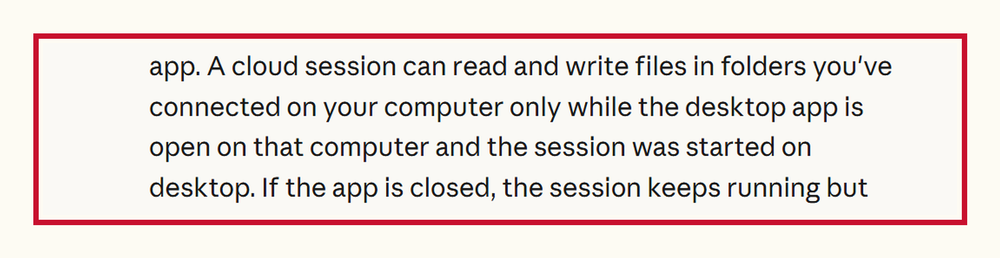
So 3 things have to be true for Cowork to reach your folder.
Your computer has to be on. The app has to be open. The task has to start on your desktop.
Your scheduled tasks follow the same rule. The page says: "Tasks that use files on your computer need the desktop app open." Say your laptop goes to sleep at 11 PM. The task keeps running. The page says the task "can't reach your local files."
That's the 1 rule that bites people. A task that runs blind looks like a broken task. The task isn't broken. The door is shut.
Why your folder matters more now, not less
The cloud frees you from your desk. If your business lives in a folder on your computer, the cloud still needs that computer on and the app open.
That's why a clean folder structure goes from a nice-to-have to a must-have.
Think about what a drifting, forgetting, multi-agent pile does with this news. You may hear that called an agentic workflow. It means a bunch of agents, half of them pointed at spots on 1 specific machine. They're held together by where things happen to live. Move the work to a server in another state and you're rebuilding.
Folders and text files don't care. The map still says where everything is filed. The cabinet is still labeled. You can move the desk anywhere and the instructions read the same. They were never about the machine. They were about your business.
They moved the desk. Your filing cabinet never left the house.
The only migration you have to do
Open your ICM folder. Say each folder's name out loud. Make sure every one still means what it meant when you made it.
Open your map file. That's the START-HERE.md or the CLAUDE.md file your AI reads first. Check that the map is current.
Then decide which folders you connect to Cowork. That's now a decision you make on purpose instead of by accident.
That's the migration. There isn't one.
If Cowork still answers like it never met your business, Cowork isn't reading your map. I fixed that live in the Cowork folder map post. The fix is 1 line in the instructions box and a front door file.
The 1 sentence on that page that's a sales call
This part is for the agency owner who sells to small business. A marketing agency. A web design agency. The AI agency that set up Claude for a dentist, a roofer and a bookkeeper.
Read the sentence again. "The Only on your computer option in Settings > General will be removed."
Every small business owner who picked "Only on your computer" because of how they handle client data loses that setting on October 6. Plenty of them don't know yet. Their bookkeeper's files. Their client contracts. Their payroll exports.
So that's your call this week. The call isn't "do you want AI." The call is this:
"Your AI setup changed on October 6. Do you know what it changed to? Do you know which folders it can see right now?"
The business whose files were never filed can't answer that. You're not selling software. You're selling the only person who can answer that question for them. If you've never run that kind of call, I broke down how I run a high ticket sales call step by step.
Questions people are asking
Does Claude Cowork upload my files to the cloud now? No. Your folders stay on your computer. When a task needs a file, Claude fetches a copy of just that file through the desktop app.
Will my scheduled tasks still work? Yes, if the desktop app is open on your computer. If the app is closed, the task keeps running but can't reach your local files.
What if my work has to stay on 1 machine? Anthropic points you to Claude Code for that. Same folder. Different tool.
Read the help page yourself
Those are the real help page lines. The real date. The real sentences. Copied, not paraphrased.
The only reason I had answers the same day is that the folder was already built. I'm still the slowest guy in the room on this stuff. I just file things where I can find them.
If you want to watch me run an actual Cowork build instead of reading about one, I connected Cowork to my ICM folder live on camera. Go take that build apart.
The method is Jake Van Clief and David McDermott's Interpretable Context Methodology (ICM). ICM is files n' folders set up so your AI reads the right file first. I didn't build ICM. I run ICM every day.
Every ICM Folder System I have built, the free ones and the ones people paid for, is on 1 page.
The kit is 6 files. It takes 20 minutes. A start page. A map. A desk file. The folder skeleton. A setup sheet. A list of what to cancel. No card. No call. No course to buy.
Send me the folder system